Advanced Setup
This page explains complex configuration methods for AIBooster in on-premise environments.
Choosing a Configuration Pattern
| Configuration | Features | Recommended Use |
|---|---|---|
| Single Node | Complete on one machine | Validation, learning, small PoC |
| Multi Node | Distributed across multiple machines | Production operation, large-scale clusters |
Single Node Configuration
A configuration where both AIBooster Server and Agent run on a single machine.
Pattern 1: Minimal Configuration for Validation
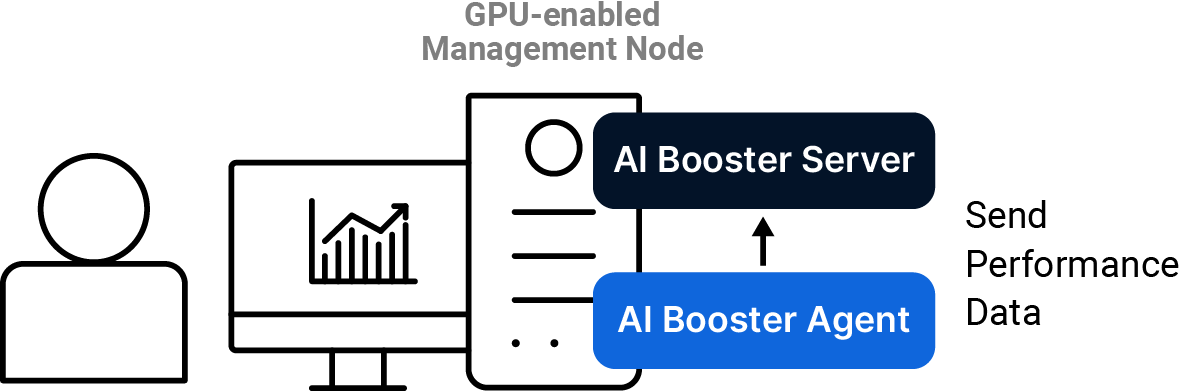
Install both AIBooster Server and AIBooster Agent on a single workstation or server equipped with GPU. Connect a monitor and open the dashboard locally to check performance information. This is the shortest route when you "just want to get it running" on offline validation machines or benchmark machines. No network configuration is required.
Pattern 2: Multi-User Configuration
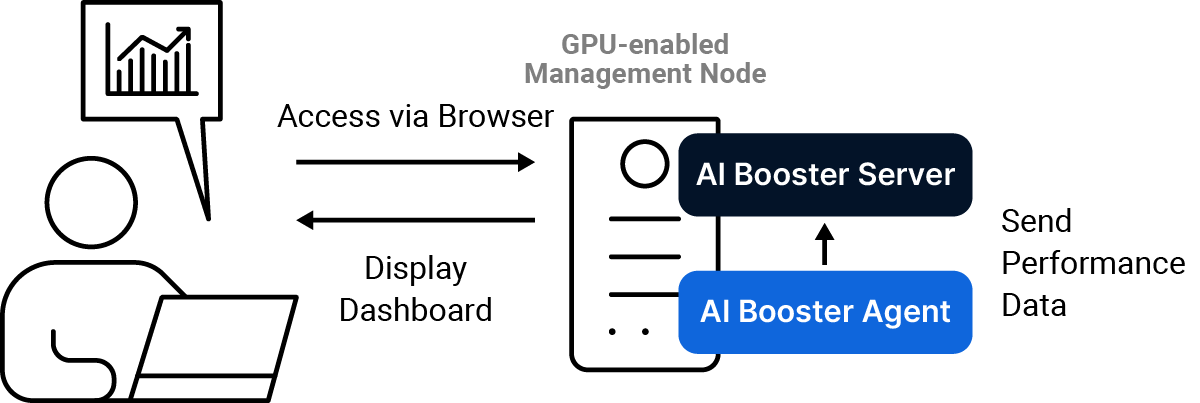
Install both AIBooster Server and AIBooster Agent on a single workstation or server equipped with GPU. Users view the dashboard provided by the server from their personal PCs through a browser via TCP port 3000. Ideal for small PoCs where multiple people want to view the dashboard.
Multi Node Configuration
A configuration for production operation where AIBooster Server and Agents are distributed across multiple machines.
Pattern 1: Separate Management Node (Recommended)
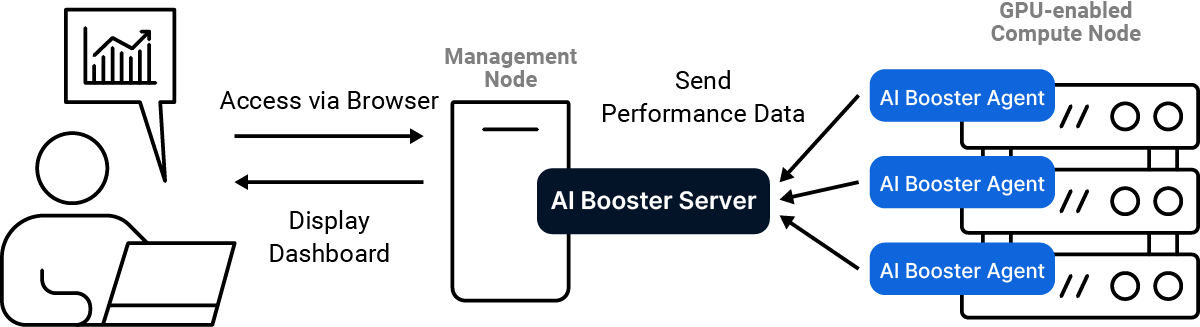
Install AIBooster Server on the management node, and install AIBooster Agent on each GPU compute node. Users view the dashboard provided by the management node from their personal PCs through a browser via TCP port 3000. This is the recommended configuration for many GPU cluster server systems.
Pattern 2: Co-located with Compute Node
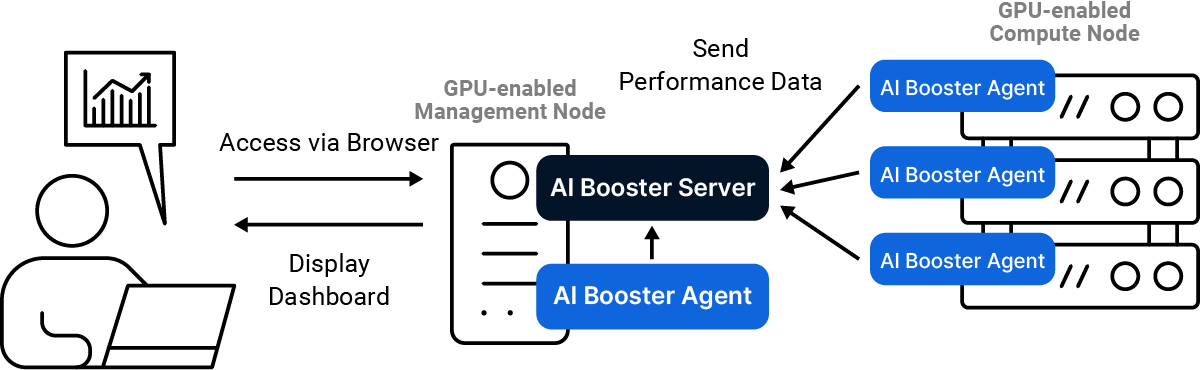
If there is no dedicated management node, select one GPU-equipped node and install both AIBooster Server and its dedicated AIBooster Agent there. Install only the Agent on the remaining GPU-equipped nodes. Users view the dashboard provided by the GPU-equipped node with AIBooster Server installed from their personal PCs through a browser via TCP port 3000.
Setup Procedure
AIBooster Server
Copy and execute the following command in your terminal on the management node where AIBooster Server will run:
curl -LO https://assets.aibooster.fixstars.com/faibup-server.sh && sudo sh ./faibup-server.sh
As described in the Troubleshooting page, some ports on the management node running AIBooster Server must be open/accessible.
AIBooster Agent
On the node where AIBooster Agent will run, replace [Management Node IP Address] in the following command with the actual IP address, then execute it:
curl -LO https://assets.aibooster.fixstars.com/faibup-agent.sh && sudo sh ./faibup-agent.sh -- --server_endpoint http://[Management Node IP Address]
Dashboard Initial Configuration
Grafana First Login
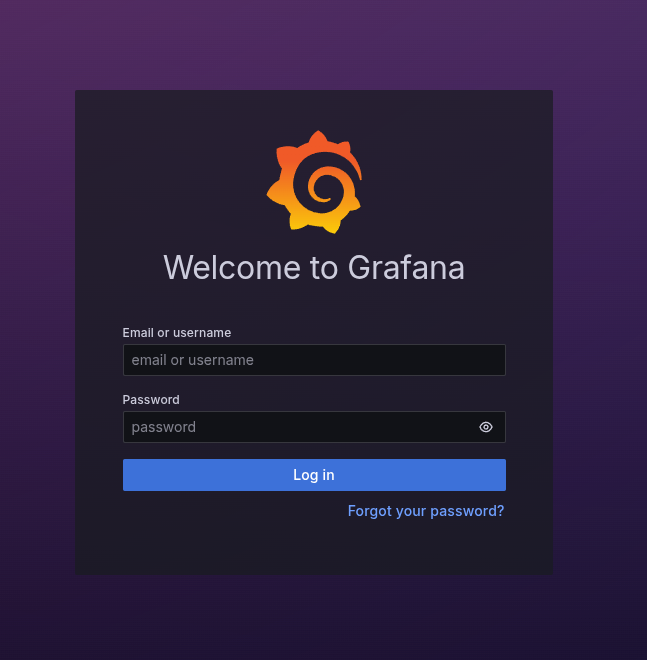
AIBooster uses Grafana for performance data visualization. When accessing the dashboard from a browser for the first time, the following screen will be displayed:
Password Configuration
- Enter
adminas both username and initial password - When prompted to change the administrator password, enter any password
Configuration Complete Confirmation
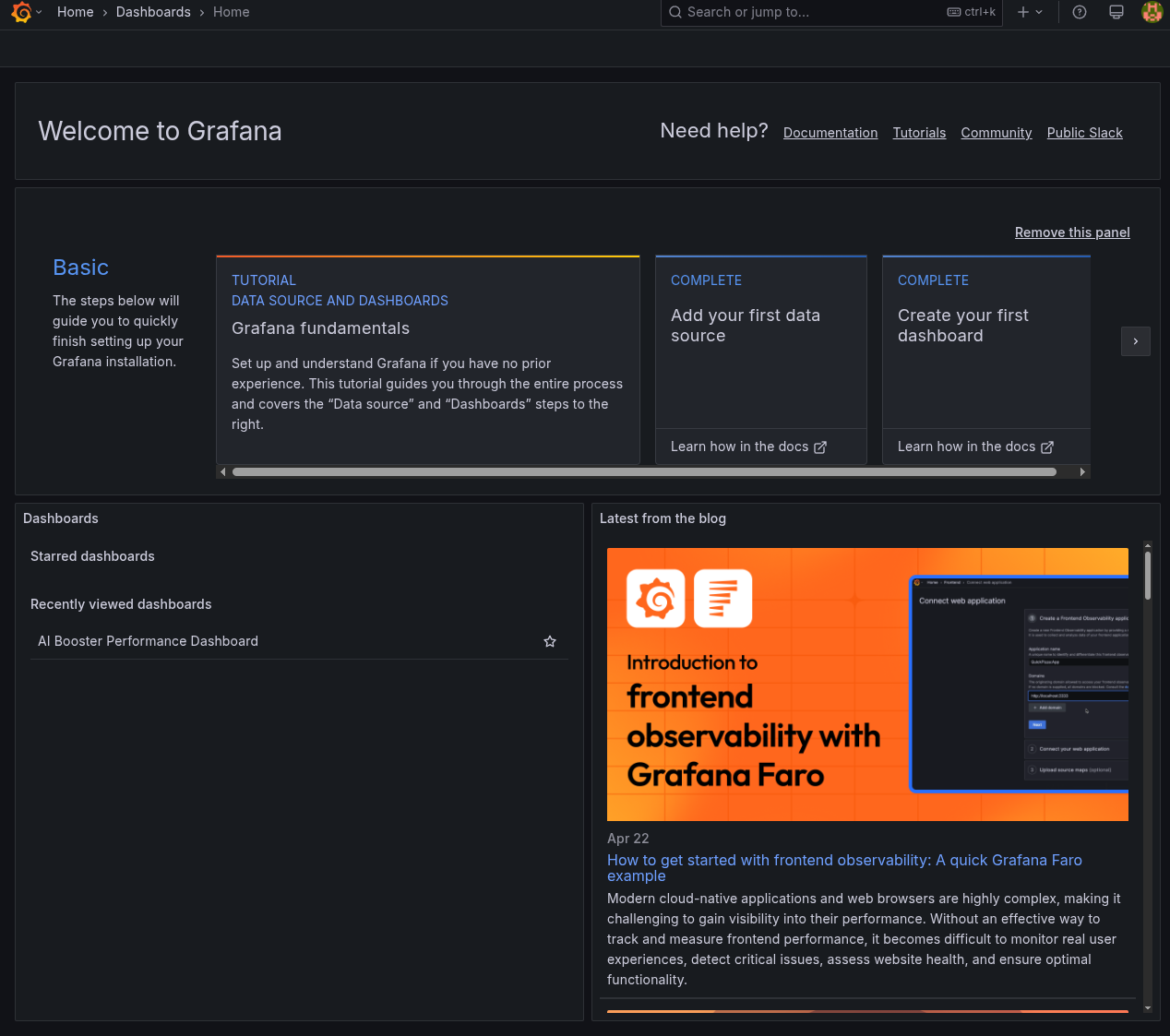
When the following screen is displayed, the initial dashboard configuration is complete: